
Configuration
every setting, and where it wins.
Where each value can come from — a build define, the Setup tab, your config URL or the shipped default — and every key the app reads. Parsed by lib/core/config/admin_config_model.dart.
01Four layers, highest first
| Layer | Set by | Shown in Setup as |
|---|---|---|
| Build define | --dart-define at build time | Build define / Pinned at build — not editable in the app |
| Operator console | The Setup tab, on this device — only in a build with an operator passcode | Set here |
| Config document | The JSON at your config URL, live or from this device's cache | Config URL / Config URL (cached) |
| Shipped default | The tables below | Default |
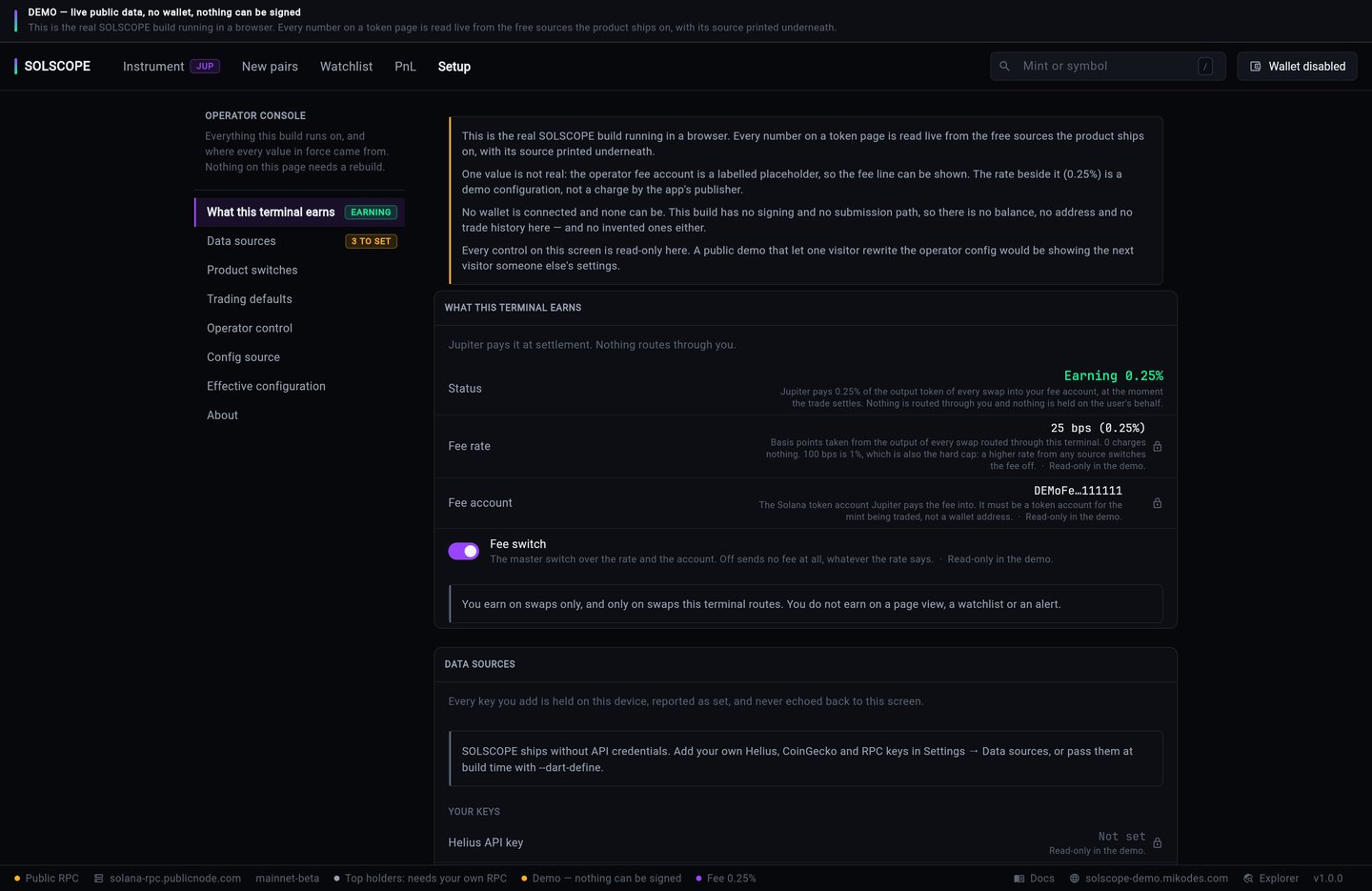
Setup → Effective configuration prints every key with the layer its value came from. A console value that hides a published one says so, and names what it hides. fee_enabled can also read Inferred: nobody set it and it follows a positive fee_bps.
Values set in the Setup tab are stored on that device and outrank your config URL, so the tab is an operator tool, not a user setting. It is compiled in only with SOLSCOPE_OPERATOR_PASSCODE and opens only after that passcode is typed (how). Ship your users a build without it: they get no Setup tab and run on your config URL and defines. To make the fee impossible to change even in your own console builds, pin it with SOLSCOPE_FEE_BPS and SOLSCOPE_FEE_ACCOUNT (below).
02Build defines
Pass with --dart-define=NAME=value, or list them in .env and use --dart-define-from-file=.env. All are empty by default.
| Name | Purpose | Where to get it |
|---|---|---|
SOLSCOPE_RPC_URL Before launch | Your Solana RPC endpoint. Empty = public fallback, rate limited. | Your RPC provider |
SOLSCOPE_HELIUS_API_KEY | Full holder count, dev-wallet history, funding source. Without it the holder list is limited and those rows say why. | helius.dev — your own account; free tier, you pay Helius for usage above it |
SOLSCOPE_COINGECKO_DEMO_KEY | Higher rate limit for the SOL reference price | coingecko.com/en/api (Demo) — your own account; paid plans are billed to you |
SOLSCOPE_ADMIN_CONFIG_URL | Where the admin JSON is fetched from | Your host (how) |
SOLSCOPE_FEE_BPS | Pins fee_bps into the binary | Your choice (Earnings) |
SOLSCOPE_FEE_ACCOUNT | Pins fee_account into the binary | Your fee token account |
SOLSCOPE_OPENING_MINT | The token the terminal opens on when the device has no history. Default: JUP. | Any mint address |
SOLSCOPE_LIVE_HOST | Site the status-bar Docs and site buttons open (<host>/docs/). Default: https://solscope-demo.mikodes.com (the public demo, whose /docs/ is this documentation). | Your website |
SOLSCOPE_OPERATOR_PASSCODE | Six characters or more. Compiles in the Setup tab (the operator console), locked behind this passcode. Empty = no Setup tab at all — the build for your users. | Your choice; never in a build you hand to users |
SOLSCOPE_DEMO | true builds the public demo: no wallet connectors, read-only Setup, a labelled placeholder fee account. | Only for a demo build |
SOLSCOPE_DEMO_MINT | The token a demo build opens on. Default: JUP. | Only for a demo build |
Only three admin values can be pinned at build time: the config URL, fee_bps and fee_account. maintenance_mode is deliberately not pinnable, so you always keep one remote stop switch.
03Admin JSON
One JSON document, fetched at start-up and cached. Every key is optional; a missing or malformed key falls back to the default, and a failed fetch leaves the last good config in force. The example below is also the shipped default — the fee is empty.
{
  "maintenance_mode": false,
  "maintenance_message": "",
  "swap_enabled": true,
  "new_token_feed_enabled": true,
  "alerts_enabled": true,
  "paid_listings_enabled": false,
  "fee_bps": 0,
  "fee_account": "",
  "fee_enabled": false,
  "default_slippage_bps": 50,
  "max_slippage_bps": 500,
  "min_app_version": "",
  "announcement": "",
  "announcement_url": "",
  "swap_disclaimer": "",
  "promoted_mints": [],
  "blocked_mints": [],
  "rpc_url": ""
}| Key | Type · default | Meaning |
|---|---|---|
maintenance_mode | bool · false | Shows a full-screen overlay. |
maintenance_message | string · "" | Text on that overlay. |
swap_enabled | bool · true | Kill switch for the swap path. |
new_token_feed_enabled | bool · true | Kill switch for the new-pairs feed. |
alerts_enabled | bool · true | Kill switch for alert evaluation. |
paid_listings_enabled | bool · false | Shows promoted_mints. Promoted rows are always labelled as paid. |
fee_bps | int 0–100 · 0 | Your fee, sent to Jupiter as platformFeeBps. 100 bps = 1 %, which is the hard cap: a higher value switches the fee off. |
fee_account | string · "" | The token account that receives it, sent as feeAccount. |
fee_enabled | bool · inferred | Omit it and a positive fee_bps means "charge". Set false to switch off without clearing the values. |
default_slippage_bps | int · 50 | Clamped to 1–5000. |
max_slippage_bps | int · 500 | Clamped to 1–5000. |
min_app_version | string · "" | Dotted version such as 1.2.0. Empty lets every build in. |
announcement, announcement_url | string · "" | Banner text and the link it opens. |
swap_disclaimer | string · "" | Extra text on the swap confirm, for whatever your jurisdiction requires. |
promoted_mints | array · [] | {"mint": "…", "label": "…", "expires_at": "ISO-8601"}. Live entries are pinned at the top of the new-pairs feed in this order, even when the mint is not in the organic feed. An expired or unparseable entry is not shown. |
blocked_mints | array · [] | Hidden from discovery. A blocked mint still opens by direct address, with the reason stated. |
rpc_url | string · "" | Overrides the in-app RPC credential, so you can move endpoints without a new build. |
The fee keys may also be nested: { "swap_config": { "fee_bps": 25, "fee_account": "…" } } is flattened on the way in.
04The cache
A fetched document is cached together with the URL it came from. If you change or remove the config URL, a cache from the old URL is deleted rather than applied, so an old fee, block list or slippage ceiling cannot stay in force.
05What is deliberately absent
- No referral or affiliate field, and no field that maps a code, a user or a wallet address to anything.
- No auto-execution: alerts notify, they never trade.
- No analytics or server that receives what users watch. Watchlist, alerts and the trade journal stay on the device.