
Troubleshooting
messages and their fixes.
What you may see, what it means and what to do, grouped by where it appears. Tip: paste the exact message into the search box.
01Build and run
Strange errors after changing packages, or MissingPluginException
flutter clean
flutter pub get
On iOS also run pod install --repo-update in ios/.
"The current Dart SDK version is …" / version solving failed
The locked package versions need Dart 3.11+ (Flutter 3.41+). Run flutter upgrade.
iOS: "No profiles for …" or signing errors
Select your own Team in Xcode under Signing & Capabilities and register the bundle ID in your Apple Developer account.
Google Play rejects the bundle as debug-signed
Release signing is not wired yet (how).
A command fails on Windows: "cp is not recognized" or a line ending in \ does nothing
The examples use macOS/Linux shell syntax. Put a multi-line command on one line in PowerShell, use Copy-Item instead of cp, or run the commands in Git Bash or WSL. The flutter commands themselves are the same everywhere.
02Setup tab (operator console)
There is no Setup tab
Expected in a build without SOLSCOPE_OPERATOR_PASSCODE — that is the build for your users. Rebuild with --dart-define=SOLSCOPE_OPERATOR_PASSCODE=<six characters or more> for yourself. A passcode shorter than six characters counts as none.
"That is not the passcode of this build" / "Too many attempts"
The passcode is the exact value passed at build time (spaces at the ends are ignored). After every third wrong try the field pauses for a few seconds. The passcode cannot be read back out of an installed app: if it is lost, rebuild with a new one.
The console asks for the passcode again
Expected after the app was closed or the page reloaded: the unlock is kept in memory only, never saved.
03Data on the token page
Top holders, dev-wallet history or funding source say they could not be read
Expected on the free stack. Public RPCs refuse indexed reads (getTokenLargestAccounts, getTokenSupply) and the Helius rows need a key. Add SOLSCOPE_HELIUS_API_KEY and your own RPC URL (how). The row itself names what unlocks it.
No chart, with a reason instead
GeckoTerminal has no candles for that pool. SOLSCOPE shows the reason rather than an invented line.
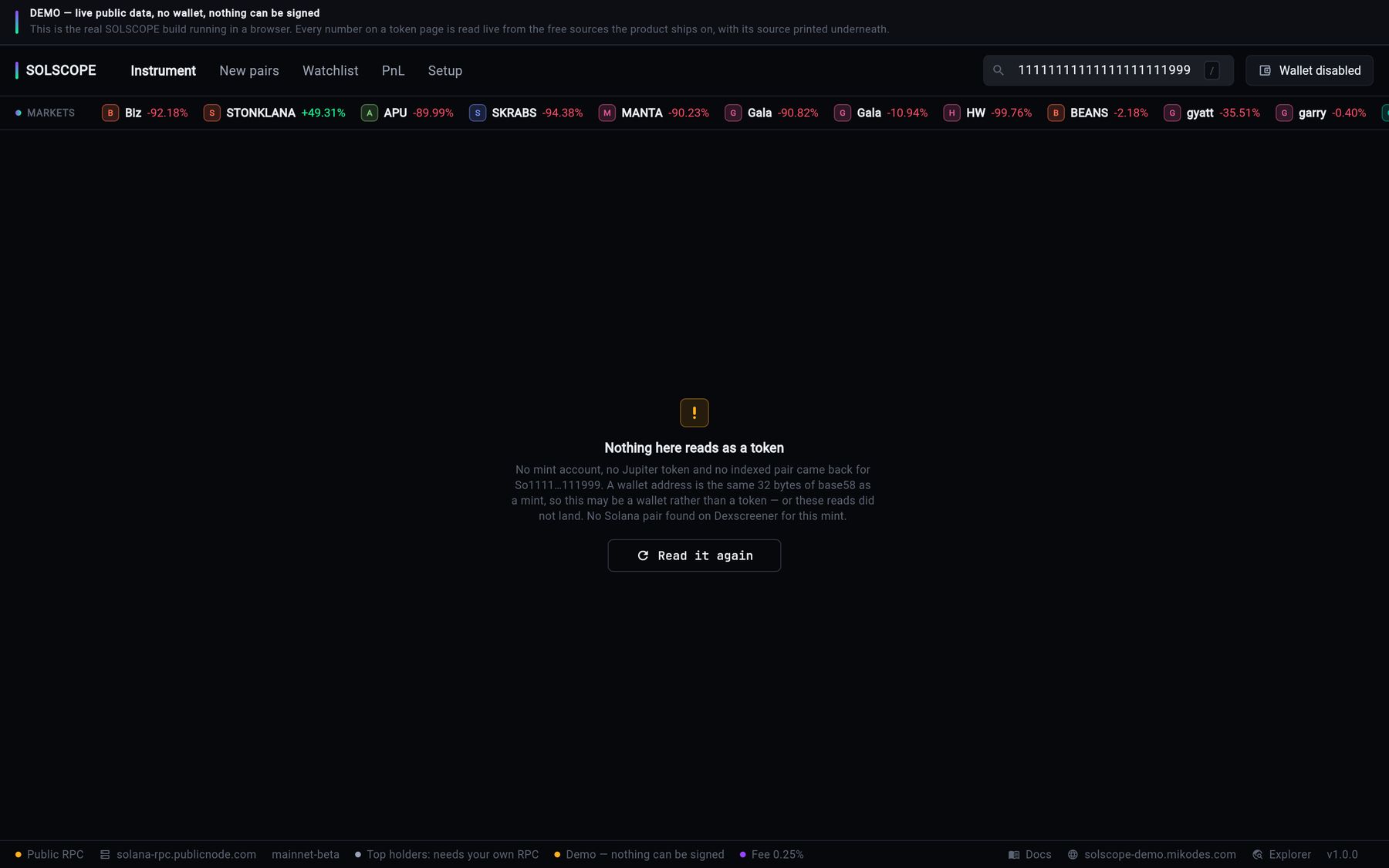
"Nothing here reads as a token"
The address is syntactically valid but no mint account, no Jupiter token and no indexed pair came back for it. A wallet address is the same 32 bytes of base58 as a mint, so the most common cause is pasting a wallet instead of a mint — the other is that the reads themselves did not land, which the same panel says. Read it again retries without reloading the app.
Requests fail in the web build with HTTP 403
Your RPC refuses browser requests. api.mainnet-beta.solana.com does this for every request with an Origin header. Use a browser-usable endpoint (why).
Figures load slowly or show rate limits
You are on the public RPC. Setup → Data sources → Active RPC says so. Set your own endpoint.
04Fee and swaps
Status reads Off: "A rate with no account collects nothing"
The rate is set but the fee account is empty or invalid. Both are needed (how).
Swaps fail after I set the fee account
You probably entered a wallet address. Jupiter needs a token account for the output mint, or a Jupiter referral account (fix).
"Both halves travel together: No" / fee dropped
That route cannot carry a platform fee. No fee is collected on that swap; this is normal (details).
The fee I set in Setup does not appear on another device
Setup values are per device. Publish them with Copy as JSON at your config URL, or pin them at build time.
The fee field cannot be edited
It was pinned at build time (SOLSCOPE_FEE_BPS / SOLSCOPE_FEE_ACCOUNT). Rebuild without the define to change it.
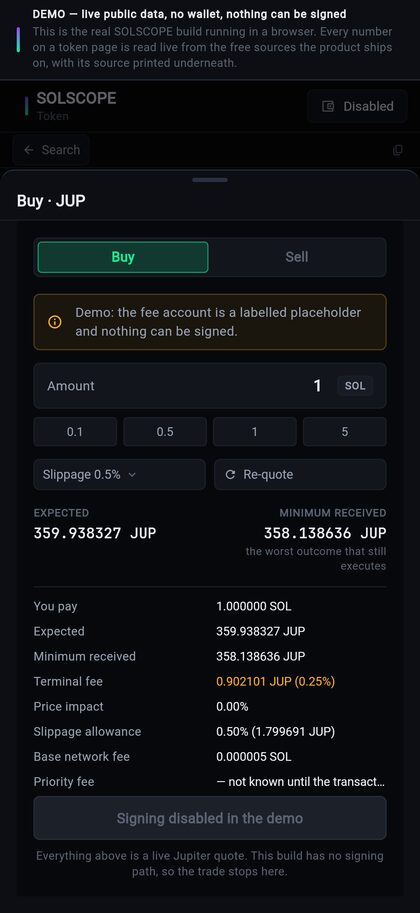
The Buy / Sell panel is missing or disabled
Check swap_enabled and maintenance_mode in Setup → Effective configuration. In a demo build signing is disabled by design.
05Wallets
"No wallet connectors in this build"
The app was built with SOLSCOPE_DEMO=true. Build without it.
Phantom, Solflare or Backpack does not return to the app
The deep-link scheme in product_identity.dart, AndroidManifest.xml and Info.plist must match (how). On Android keep android:launchMode="singleTask" on MainActivity; on iOS keep the SolscopeDeepLinks registration in AppDelegate.swift. If the user switches back without approving, the app says "The wallet app returned without answering" after a few seconds — approve in the wallet and try again.
"Phantom connects from the Android and iOS apps"
Expected on the web and macOS: wallet apps can only hand their answer back to the phone apps. Use the in-app wallet on macOS.
"Only https:// URLs are accepted" for the config URL
The config document carries your fee account, so it is only fetched over HTTPS. Serve it from an https host.
06Config not reaching the app
- The config URL answers JSON over HTTPS and allows browser requests (CORS) for web builds.
- Setup → Config source → Reload shows Fetched this session.
- No value Set here on this device is hiding the published one (Effective configuration says so). Clear local edits if needed.
- The value is not pinned by a build define.